DigitalPOS – POS Billing, Inventory & Retail Software
DigitalPOS – India's Leading POS Management Software
Full-Fledged Point of Sale Management Software

One POS. Complete Business Control. Complete Point of Sale Management Software for Modern Businesses

Bill Faster. Sell Smarter. Control Your Entire Business.

DigitalPOS is a powerful, full-fledged Point of Sale management software designed to manage billing, sales, products, inventory, purchases, customers, suppliers, payments, employees, branches, warehouses, reports and day-to-day retail operations from one centralized system.

From a single retail counter to multiple stores and business locations, DigitalPOS gives you the tools required to run your complete sales operation with greater speed, accuracy and control.

One POS. One Business. Complete Control.
DigitalPOS holographic orbit emblem with shopping cart, barcode and QR code
Barcode Billing
GST-Ready Billing
UPI Payment
Low Stock Alerts
Multi-Store
Real-Time Stock Tracking
Bill Faster. Sell Smarter. Grow Bigger. One POS. Complete Business Control. From First Scan to Final Report — Everything in One POS. Your Counter. Your Inventory. Your Customers. Your Business. Powerful POS Software Built for Modern Retail. The Complete Operating System for Your Retail Business. Bill Faster. Sell Smarter. Control Your Entire Business.
Core Capabilities
Fast Billing
Inventory
GST
Barcode
Customers
Purchases
Reports
Multi-Store
The Complete Solution

The Complete Point of Sale Solution for Modern Businesses

Bill faster. Manage inventory smarter. Control purchases. Track customers. Manage multiple stores. Understand your business.

DigitalPOS is a powerful full-fledged Point of Sale management software that combines fast billing, inventory management, purchasing, customers, suppliers, payments, employees, accounting, GST, reports and multi-store management into one integrated business platform.

Everything You Need to Run Your Counter. Everything You Need to Grow Your Business.

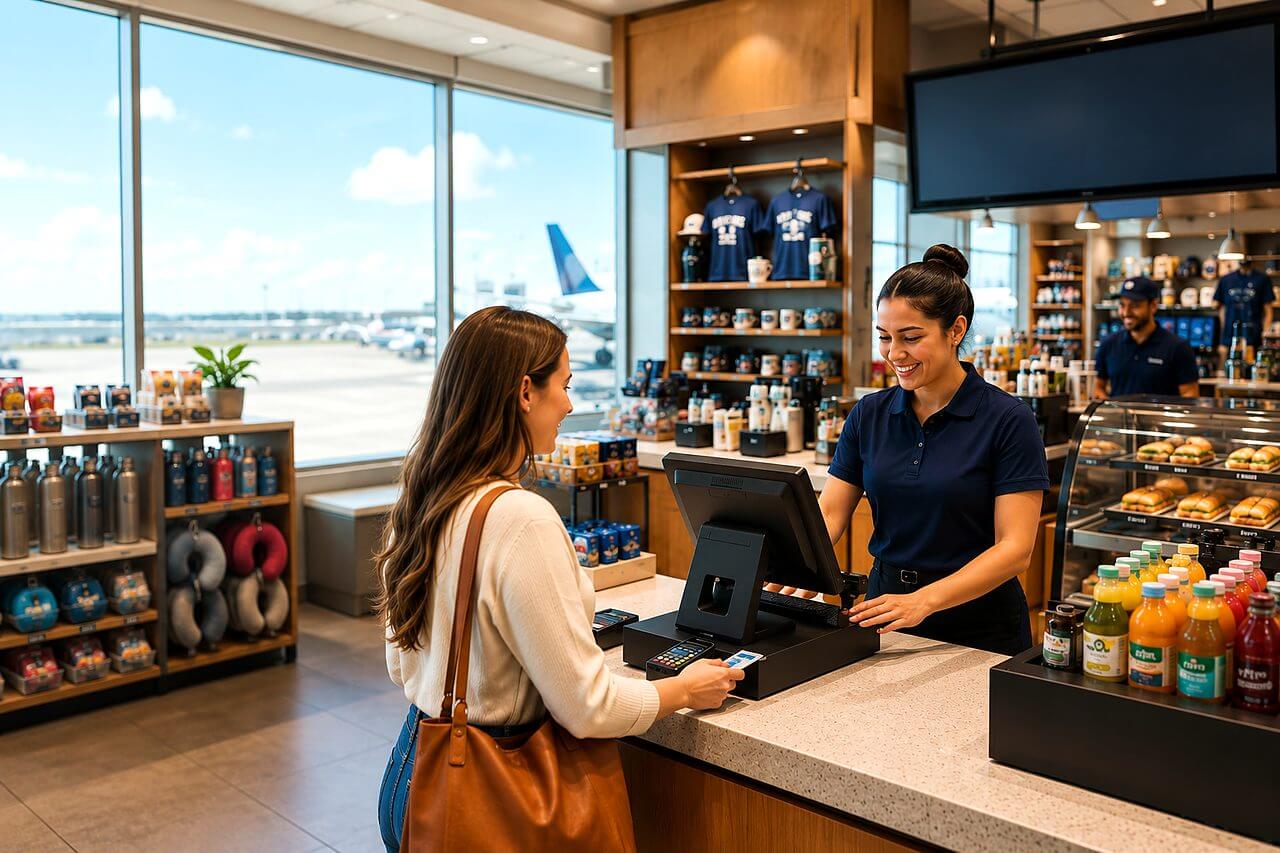
A smiling cashier in a navy polo at a POS terminal while a customer pays by card in a bright modern retail store
Beyond Point of Sale

More than "Point of Sale Software"

DigitalPOS — Full-Fledged Point of Sale & Retail Business Management Software

Inventory Management Retail Management Purchasing Customers Suppliers GST Accounting Employees Multi-Store Operations Business Intelligence
The DigitalPOS Promise

Your Entire Point of Sale Operation. Connected.

A modern business needs more than a billing screen.

It needs accurate inventory.
It needs fast checkout.
It needs customer management.
It needs purchasing.
It needs supplier management.
It needs payment tracking.
It needs business reports.
It needs employee control.
It needs multi-store visibility.

And above all, it needs one system that connects everything together.

That's DigitalPOS.

The Problem

Your Business Is More Than a Billing Counter.

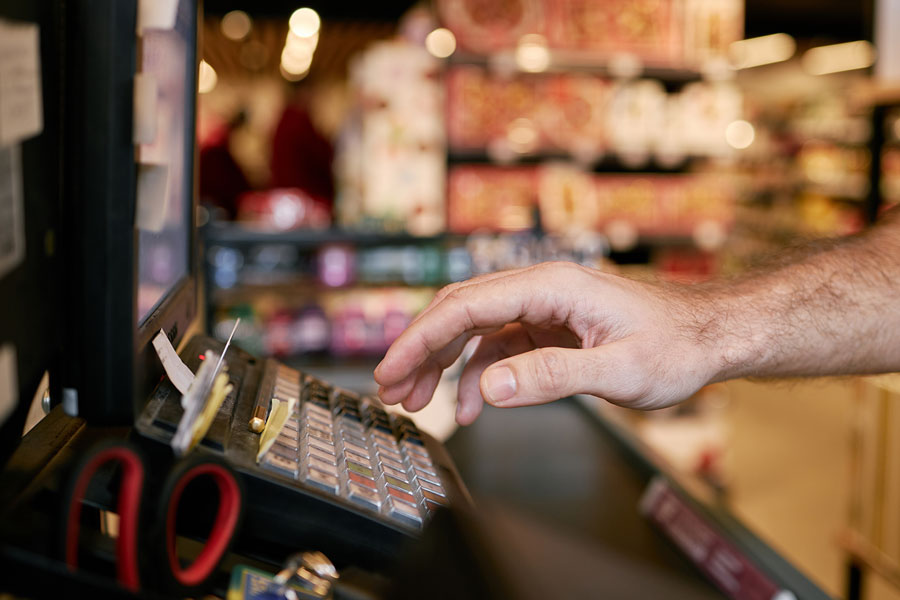
A hand over an old-style cash-register keypad with paper receipts and blurred shop shelves behind

A traditional billing machine can generate a bill.

But your business needs much more.

You need to know what you sold.
You need to know what remains in stock.
You need to know what needs to be purchased.
You need to know which customers are buying.
You need to know what your employees are doing.
You need to know which products are profitable.
You need to know how much money you have collected.
You need to know which suppliers are outstanding.

And if you operate multiple outlets, you need to know what is happening across your entire business.

That's why you need DigitalPOS.

The Solution

One Powerful Platform. Your Entire Retail Operation.

DigitalPOS connects your business operations into one intelligent workflow.

Product
Inventory
Purchase
POS
Payment
Customer
Accounting
Reports

When a product is sold, your business information doesn't stop at the invoice.

The sale can update inventory.

The transaction can update customer history.

The payment can update cash or bank records.

The sale can contribute to reports.

The transaction can contribute to business analytics.

One transaction. Multiple business processes. One connected system.

What DigitalPOS Manages

Your Complete Business, From One Dashboard

POS Billing

Fast and efficient counter billing with barcode scanning, product search, discounts, taxes and multiple payment options.

Inventory

Know what you have, where it is located and when it needs replenishment.

Purchasing

Manage suppliers, purchase orders, receiving, purchase invoices and purchase returns.

Customers

Maintain customer profiles, purchase history, outstanding balances, loyalty and relationship information.

Suppliers

Track supplier transactions, purchases, payments and outstanding balances.

Employees

Control cashiers, salespeople, roles, permissions and employee performance.

Accounting

Track income, expenses, cash, bank transactions, receivables, payables and financial information.

GST

Manage GST-oriented billing, tax rates, HSN/SAC information and tax reporting.

Multi-Store

Manage multiple branches and locations from a centralized system.

Analytics

Turn your POS transactions into meaningful business intelligence.

Inside DigitalPOS

One POS. One Business. Complete Control.

Sales TransactionsBarcode ScanningDiscounts & TaxesMultiple Payment MethodsInvoices & ReceiptsCustomer Records

Complete Point of Sale and Retail Business Management

Point of Sale (POS) software is a comprehensive business management solution designed to control and simplify the complete sales process, from the moment a customer selects a product to the generation of the final invoice and receipt. A modern POS system is much more than a digital cash register. It acts as a centralized platform for managing sales transactions, products, inventory, customers, payments, discounts, taxes, employees, suppliers, and business reports. At the billing counter, staff can quickly search for products, scan barcodes, select quantities, apply approved discounts, calculate taxes, accept payments, and generate professional invoices or receipts within seconds. Every transaction is automatically recorded in the system, creating an accurate and organized digital history of business activity. The software can support multiple payment methods, including cash, cards, digital payments, bank transfers, and other configured payment options. Product information can include item names, categories, product codes, barcode numbers, purchase prices, selling prices, tax rates, units, stock quantities, and other relevant information. Customer records can also be maintained so that businesses can understand purchasing patterns and provide better service. For retailers, restaurants, wholesalers, pharmacies, supermarkets, boutiques, electronics stores, service businesses, and other organizations handling frequent transactions, POS software can significantly improve billing speed and operational efficiency. By replacing manual registers and disconnected spreadsheets with an integrated digital system, a POS solution provides greater accuracy, faster transactions, improved record keeping, and stronger control over day-to-day business operations.
Real-Time StockProduct CatalogsStock AlertsStock TransfersPurchase ManagementInventory Reports

Inventory Management, Stock Control and Product Monitoring

An effective POS software should provide powerful inventory management because every sale directly affects stock availability and business profitability. When a product is sold through the POS terminal, the corresponding inventory quantity can be automatically reduced, providing an updated view of available stock. Similarly, purchases, stock receipts, returns, adjustments, transfers, and other inventory movements can be recorded within the same system. Businesses can maintain detailed product catalogs containing product names, categories, brands, SKUs, barcodes, units, purchase prices, selling prices, tax information, opening stock, current stock, minimum stock levels, and other product attributes. Barcode scanning can make the billing process faster while reducing manual product-selection errors. Stock alerts can notify authorized users when inventory falls below a predefined threshold, helping businesses avoid unexpected stock shortages. Managers can monitor fast-moving products, slow-moving products, dead stock, stock valuation, stock adjustments, and inventory movement over specific periods. For businesses operating multiple stores or warehouses, stock transfer functionality can help move products from one location to another while maintaining accurate records. Purchase management can also be connected with inventory so that receiving new products automatically updates stock quantities. Sales returns and purchase returns can be reflected appropriately in inventory records, reducing discrepancies between physical and system stock. Detailed inventory reports can help management determine which products generate the highest sales, which products remain unsold, and which items require replenishment. By connecting billing and inventory in real time, POS software eliminates the need for employees to update stock records manually after every transaction. This integrated approach improves stock accuracy, reduces operational errors, supports better purchasing decisions, and gives business owners greater control over one of their most important assets.

Customer ProfilesSplit PaymentsDiscount ManagementLoyalty PointsGift Cards & Store CreditsTransaction History

Customer Management, Payments, Discounts and Loyalty Programs

Modern POS software can transform a traditional billing counter into a powerful customer relationship and retention platform. Customer management functionality allows businesses to maintain customer profiles containing names, contact information, purchase history, preferences, transaction records, outstanding balances, and other relevant details. Instead of treating every transaction as an isolated sale, the business can build a long-term database of customer interactions and purchasing behavior. This information can be used to provide personalized service, identify repeat customers, understand buying patterns, and create targeted promotional campaigns. POS systems can support multiple payment methods and provide accurate transaction calculations, reducing the possibility of billing errors. The software can manage cash transactions, card payments, digital payment methods, split payments, credit sales, refunds, and other configured payment scenarios. Discount management can allow businesses to establish product-level discounts, invoice-level discounts, customer-specific pricing, promotional offers, seasonal discounts, or predefined discount rules according to their business policies. Appropriate permissions can prevent unauthorized employees from providing excessive discounts. Loyalty management can further encourage repeat purchases through points, rewards, membership levels, coupons, promotional benefits, or customer-specific offers. Businesses can identify their most frequent or valuable customers and design retention strategies around actual purchasing data. Gift cards, store credits, promotional vouchers, and special pricing can also be incorporated where required. The system can maintain a complete transaction history so that customer queries about previous purchases, returns, payments, or invoices can be handled efficiently. This combination of customer management, payment processing, discount control, and loyalty functionality helps businesses move beyond simple transaction processing. It enables them to use every sale as an opportunity to strengthen customer relationships, encourage repeat business, increase average transaction value, and improve the overall customer experience.

Roles & PermissionsCash ManagementMulti-Branch VisibilityMultiple RegistersAudit TrailsCentralized Administration

Employee Management, Multi-Store Operations and Business Control

A professional POS system can provide extensive operational control for businesses that have multiple employees, counters, branches, stores, or business locations. Employee management features can allow administrators to create individual user accounts and assign roles and permissions according to responsibilities. For example, a cashier may be permitted to create sales transactions while being restricted from modifying product prices, deleting transactions, changing tax settings, accessing sensitive reports, or performing administrative functions. Managers can receive broader access to sales reports, inventory information, returns, discounts, and operational dashboards, while administrators retain complete system control. Such role-based access improves accountability and reduces the risk of unauthorized changes. Cash management is another important component of POS operations. The system can record opening cash balances, sales collections, refunds, cash expenses, cash withdrawals, and closing balances, helping managers reconcile the physical cash drawer with recorded transactions. For businesses operating several stores or branches, centralized management can provide consolidated visibility across locations while allowing each branch to handle its daily transactions independently. Management can compare branch-wise sales, product performance, employee performance, inventory levels, and revenue. Stock can be transferred between locations according to business requirements, while centralized product and pricing management can help maintain consistency. POS software can also support multiple registers or billing counters within the same establishment, making it suitable for high-volume retail environments. Transaction histories and audit trails can help management identify who created, modified, cancelled, refunded, or processed particular transactions. This level of operational control is particularly valuable as a business grows because manual monitoring becomes increasingly difficult when transaction volumes and employee numbers increase. By combining user permissions, cash control, branch management, inventory visibility, transaction tracking, and centralized administration, POS software provides businesses with a structured and scalable framework for managing their entire retail operation.

Dashboards & ChartsProduct ReportsAutomated AlertsConsolidated DashboardsAccounting IntegrationSecurity & Backups

Reports, Analytics, Automation and Real-Time Business Intelligence

The value of a modern Point of Sale system extends far beyond processing individual transactions because every sale generates valuable business information that can be analyzed to improve decision-making. POS software can automatically convert transaction data into detailed reports, dashboards, charts, and performance indicators covering sales, products, customers, inventory, payments, discounts, returns, employees, branches, taxes, and profitability. Management can view daily, weekly, monthly, quarterly, or customized sales performance and compare results across different periods. Product reports can identify best-selling items, slow-moving products, high-value products, low-margin products, and frequently returned products. Salesperson and cashier reports can help management evaluate employee performance and transaction volumes. Payment reports can show how much revenue has been collected through different payment methods, while cash reports can assist with daily reconciliation. Automated reports and alerts can notify managers about low stock, unusual transaction activity, excessive discounts, cancelled bills, high-value sales, pending payments, or other events requiring attention. Businesses can also use historical POS data to identify seasonal demand patterns and make better purchasing and inventory decisions. For multi-location organizations, consolidated dashboards can provide a real-time overview of total business performance while allowing managers to drill down into individual stores or counters. Integration with accounting and other business-management systems can further reduce duplicate data entry and connect sales transactions with financial records. Security controls, backups, audit trails, and user permissions can protect important operational information and maintain accountability. Ultimately, POS software should provide much more than fast billing. It should create a complete digital ecosystem connecting sales, inventory, customers, employees, payments, branches, and management information. With real-time data and automated reporting, business owners can make faster and more informed decisions, identify opportunities for growth, control operational costs, improve customer service, and build a more efficient and scalable retail business.

Fast & Efficient Point of Sale Billing

When Customers Are Waiting, Every Second Matters.

A slow checkout experience can create queues.

Queues create frustration.

And frustrated customers can leave.

DigitalPOS is designed to make the checkout process as efficient as possible.

Scan.
Select.
Bill.
Pay.
Done.

The result?

Faster transactions. Shorter queues. Happier customers.

Barcode & QR Code Management

Scan It. Sell It. Done.

Forget manually entering product names and prices.

Connect compatible barcode scanners with DigitalPOS and turn your checkout counter into a fast, efficient billing station.

  1. Scan the product.
  2. DigitalPOS identifies it.
  3. The product is added to the cart.
  4. The price and applicable configuration are applied.
  5. The inventory is updated after the transaction.

Fewer keystrokes. Fewer errors. Faster billing.

Barcode generation and label printing can also help businesses standardize product identification.

Complete Inventory Management

Stop Guessing Your Stock.

How much stock do you have?
Which products are running low?
Which products are not moving?
Which branch has excess stock?
Which warehouse has the product your customer wants?
Which items should you purchase?

DigitalPOS turns your inventory into a structured, searchable and measurable business resource.

Real-Time Stock Visibility
Low-Stock Alerts
Reorder Levels
Stock Transfers
Stock Adjustments
Stock Valuation
Fast-Moving Products
Slow-Moving Products
Inventory History
Multi-Location Stock

Know your stock before your stock becomes a problem.

Sales & Purchase Management

Buy Smarter. Stock Better.

Purchasing is directly connected to profitability.

Buy too much and your capital gets locked into inventory.

Buy too little and you lose sales.

DigitalPOS connects purchasing with inventory and supplier information.

Purchase Orders
Goods Receipt
Purchase Invoices
Purchase Returns
Supplier Ledger
Supplier Outstanding
Purchase History
Purchase Price History
Reorder Monitoring

Better purchasing starts with better information.

Purchase & Supplier Management

Know Your Suppliers.

Maintain supplier information in one centralized system.

Track what you purchased.
Track how much you owe.
Track what you paid.
Track purchase history.
Track supplier performance.

DigitalPOS turns supplier management into an organized business process.

Customer & Loyalty Management

Turn Every Transaction Into a Customer Relationship.

Every customer who walks into your store represents more than one sale.

DigitalPOS can maintain customer profiles, purchase history, outstanding balances, groups, loyalty information and other relationship data.

Understand what customers buy.
Identify your valuable customers.
Recognize repeat buyers.
Create loyalty programs.
Build stronger customer relationships.
A cashier and a customer at the counter during a card payment

Because the best customer isn't always the customer who buys once.

It's the customer who keeps coming back.

Loyalty Programs

Give Customers a Reason to Come Back.

Customer loyalty can become a powerful growth engine.

DigitalPOS can support loyalty programs through customer groups, membership structures, points, rewards and promotional mechanisms.

Reward purchases.
Build customer loyalty.
Encourage repeat visits.
Increase customer lifetime value.

Sell today. Build relationships for tomorrow.

Payments & Cash Register Management

Every Payment. Clearly Recorded.

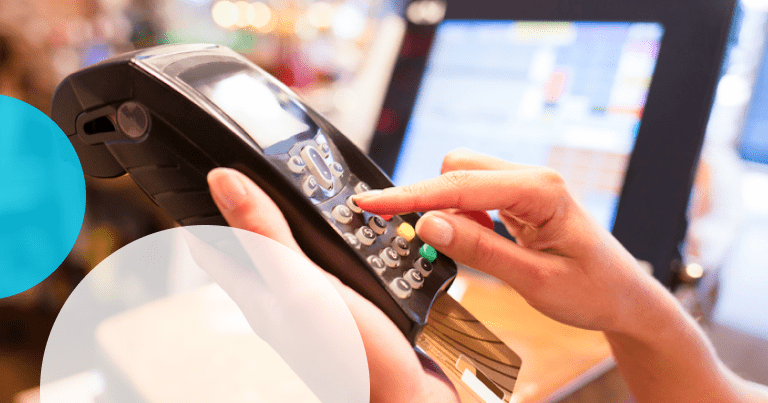
A hand holding a card-payment terminal at a shop counter
Cash.
Card.
UPI.
Bank.
Wallet.
Credit.
Split payments.

DigitalPOS brings your payment information together with your sales transactions.

Know what was paid.
Know how it was paid.
Know what remains outstanding.

Better payment visibility means better financial control.

Employee & Cashier Management

Put the Right Controls at the Counter.

Your cashier is one of the most important operational points in your business.

DigitalPOS provides tools for cashier management, user roles, permissions, register opening and closing, cash reconciliation, transaction monitoring and activity tracking.

Give employees the access they need.
Restrict the operations they don't need.
Track important actions.
Review register performance.

Operational freedom with managerial control.

Multi-Store & Multi-Branch Management

One Business. Multiple Stores. One Centralized View.

Running two stores is different from running one.

Running ten is different again.

Running fifty requires centralized control.

DigitalPOS is designed to help businesses manage multiple branches, stores, counters and warehouses from one centralized environment.

View branch sales.
Monitor branch inventory.
Transfer stock.
Manage branch employees.
Compare performance.
Review consolidated reports.

Your business may have multiple locations. Your management system doesn't need to be fragmented.

Accounting & Financial Management

Your POS and Your Numbers Should Speak the Same Language.

Sales information shouldn't remain isolated from your financial information.

DigitalPOS can connect sales, purchases, expenses, customer receivables, supplier payables, cash and bank activity with financial reporting.

Sales
Purchases
Expenses
Cash
Bank
Receivables
Payables
Profit
Loss

One business. One connected financial picture.

GST-Ready Billing & Tax Management

GST-Ready POS for Indian Businesses.

For Indian retailers, tax compliance cannot be an afterthought.

DigitalPOS can be structured around GST-oriented billing with configurable tax rates, GSTIN information, HSN/SAC classification, CGST, SGST, IGST and GST-oriented reports.

CGST SGST IGST GSTIN HSN SAC

The objective is simple:

Calculate correctly.
Display clearly.
Record systematically.
Report efficiently.
Mobile & Offline POS

Your Sales Shouldn't Stop Because the Internet Does.

Internet connectivity isn't always perfect.

That's why offline-capable POS architecture can be a major differentiator.

Continue supported billing operations during temporary connectivity interruptions and synchronize transactions when connectivity is restored.

Your customers shouldn't have to wait for your internet connection.

Connection status
Connectivity interrupted · Billing continues
Connectivity restored · Transactions synchronized
SyncLocal → Cloud
QUEUED
QUEUED
QUEUED
Hardware, Integrations & Security

POS Hardware Integration

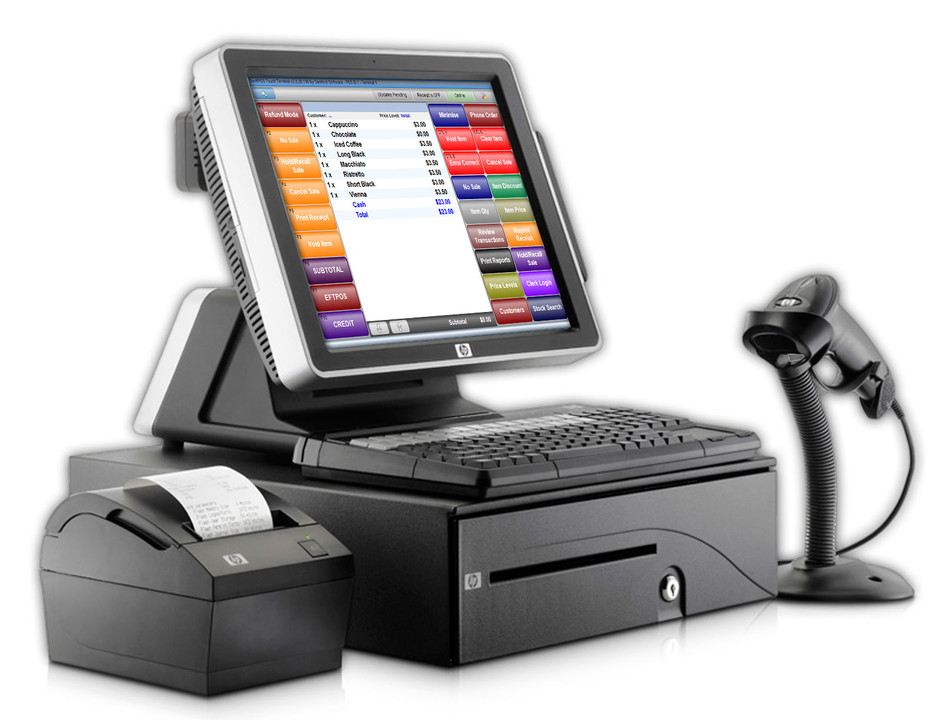
HP touchscreen POS terminal with receipt printer, cash drawer and handheld barcode scanner

{{ f.t }}

{{ f.d }}

Integrations

{{ f.t }}

{{ f.d }}

Mobile & Offline POS

{{ f.t }}

{{ f.d }}

Security & User Permissions

{{ f.t }}

{{ f.d }}

Powerful Reports & Business Analytics

Don't Just Generate Bills. Understand Your Business.

Your POS contains a huge amount of business intelligence.

DigitalPOS turns transaction data into reports that help you understand:

What sells?
When does it sell?
Who buys?
Which branch performs best?
Which products are slow?
Which products are profitable?
How much was discounted?
How much is outstanding?
How much inventory do you hold?
Where is your money going?

Information becomes powerful when you can act on it.

Business Intelligence

From Transactions to Business Intelligence.

DigitalPOS can transform thousands of daily transactions into meaningful insights.

Sales Analytics

Understand revenue trends and sales performance.

Product Analytics

Discover your strongest and weakest products.

Customer Analytics

Understand customer purchase behavior.

Inventory Analytics

Identify stock risks and opportunities.

Branch Analytics

Compare locations.

Employee Analytics

Understand salesperson and cashier performance.

Financial Analytics

Review income, expenses and profitability.

Restaurant & Food-Service POS

DigitalPOS Isn't Just for Retail.

DigitalPOS can also be positioned with an optional restaurant/food-service layer.

With an appropriate restaurant module, DigitalPOS can also be positioned for:

Restaurants
Cafés
Bars
Fast Food
Food Courts
Takeaway Counters
Cloud Kitchens

Support can include tables, floor plans, dine-in orders, takeaway orders, kitchen order management, modifiers, combos, split bills and tips.

TablesFloor PlansDine-In OrdersTakeaway OrdersKitchen Order ManagementModifiersCombosSplit BillsTips
Complete Feature Library

DigitalPOS Features

From First Scan to Final Report — Everything in One POS.

{{ cat.name }}

{{ cat.intro }}

{{ f.t }}

{{ f.d }}

Who Can Use DigitalPOS?

One POS Platform. Multiple Industries.

Retail Stores

Manage billing, inventory, products, customers, suppliers and payments.

Supermarkets

Handle high-volume barcode billing, inventory and multiple checkout counters.

Grocery Stores

Manage weighted products, stock, barcode billing and customer transactions.

Fashion Stores

Manage sizes, colors, variants, inventory and customer purchases.

Footwear Stores

Manage product sizes, variants, inventory and retail billing.

Electronics Stores

Manage serial numbers, warranties, products and customer records.

Mobile Shops

Manage devices, accessories, serial numbers and sales.

Hardware Stores

Manage thousands of products, units, suppliers and inventory.

Pharmacies

Manage applicable batches, expiry dates, inventory and retail billing.

Restaurants

Manage tables, orders, kitchen workflows and restaurant billing.

Cafés

Manage counter billing, products, combos and customer orders.

Wholesale Businesses

Manage customers, bulk pricing, credit sales and inventory.

Distributors

Manage suppliers, warehouses, stock transfers and sales.

Multi-Branch Retail Chains

Control multiple locations from one centralized system.

Why Choose DigitalPOS?

One Platform Instead of Many Disconnected Applications.

Why use one application for billing?
Another for inventory?
Another for customers?
Another for purchasing?
Another for reporting?
Another for accounting?
Another for employee management?

DigitalPOS is designed to bring these operational areas together.

One Login.
One Database.
One Dashboard.
One Business.
Comparison

DigitalPOS vs Traditional Billing Software

Traditional BillingDigitalPOS
Basic billingComplete POS
Limited product informationFull product master
Basic stockAdvanced inventory
Manual stock monitoringReal-time stock
Basic customer detailsCustomer CRM
Limited reportsBusiness analytics
Single-store focusMulti-store capable
Manual purchasingPurchase management
Basic receiptsProfessional invoices
Limited controlsRoles & permissions
Minimal financial visibilityAccounting & finance
Manual follow-upStructured customer management
Basic payment recordingMultiple payment modes
Limited scalabilityBusiness-ready architecture
One Connected Cycle

The DigitalPOS Business Cycle

DigitalPOS can connect your entire retail cycle.

  1. Purchase products.
  2. Receive inventory.
  3. Store stock.
  4. Sell through POS.
  5. Collect payment.
  6. Update customer records.
  7. Update inventory.
  8. Update financial records.
  9. Generate reports.
  10. Analyze performance.
  11. Reorder stock.

Your business becomes one connected cycle instead of a collection of disconnected activities.

Business Benefits

DigitalPOS Benefits

Faster Billing

Reduce unnecessary checkout steps and speed up customer transactions. Barcode scanning and quick product search can make counter operations more efficient. Faster billing is particularly valuable during peak hours.

Better Inventory Control

Know what you have and where it is located. Track stock movements instead of relying on manual calculations. This reduces uncertainty around inventory.

Reduced Billing Errors

Automated product lookup, pricing and tax calculations reduce manual entry. This can improve billing accuracy. Staff can focus on customers rather than calculations.

Better Customer Service

Customer profiles and purchase history can give staff better context. Previous purchases can be reviewed when needed. This can improve the customer experience.

Better Purchasing Decisions

Sales and inventory information can help identify products requiring replenishment. Businesses can use actual demand information instead of guesswork. This can reduce both stock-outs and excess inventory.

Better Business Visibility

Dashboards and reports provide management with operational information. Owners can review sales, inventory, customers and financial indicators. Better visibility supports better decisions.

Better Employee Control

Roles, permissions and activity tracking help establish accountability. Employees receive appropriate access. Managers maintain control over sensitive operations.

Better Multi-Store Management

Centralized information makes it easier to compare and manage locations. Branches can share appropriate inventory and customer information. Management gains a consolidated business view.

Better Financial Control

Sales, expenses, cash, bank transactions, receivables and payables can be organized. Financial information becomes more connected with operational activity. This reduces dependence on disconnected records.

Better Business Growth

A structured POS platform creates a stronger foundation for expansion. New branches, employees, products and customers can be managed within the same architecture. The system can grow as the business grows.

Why DigitalPOS Is Different

It Doesn't Stop at the Bill.

A traditional billing system asks:

"How much did the customer pay?"

DigitalPOS asks much more:

What did they buy?
How much stock remains?
Who sold it?
Which branch sold it?
How much profit did it generate?
Which customer bought it?
When should we reorder it?
Which supplier supplied it?
How much does the customer owe?
How much does the supplier owe?
How is the business performing?

That's the difference between a billing application and a complete POS management platform.

Understanding DigitalPOS

Powerful POS Software Built for Modern Businesses

What Is POS Software?

POS software, or Point of Sale software, is a business application used to process sales transactions and manage activities associated with the point where products or services are sold.

Modern POS software goes beyond generating receipts. It can connect billing with inventory, customers, purchases, suppliers, payments, employees, accounting and business reporting.

DigitalPOS is designed around this broader concept of connected business management.

What Is DigitalPOS?

DigitalPOS is a full-fledged Point of Sale management system designed for businesses that need more than basic billing.

It brings together POS billing, product management, inventory, purchasing, suppliers, customers, payments, employees, reports, GST-oriented functionality, multi-store management and other business operations in one centralized platform.

DigitalPOS can therefore function as the operational center of a retail business.

How Does DigitalPOS Work?

The basic workflow is straightforward:

Create Products
Purchase Stock
Receive Stock
Sell Products
Collect Payment
Update Inventory
Update Customer
Generate Reports

Every transaction contributes information to the broader business database.

This eliminates the need to manually transfer information between separate systems.

Who Needs POS Software?

POS software can be useful for almost any business that sells products or manages counter-based transactions.

Retail stores, supermarkets, grocery shops, fashion stores, electronics retailers, pharmacies, wholesalers, distributors, restaurants, cafés and multi-location businesses can all benefit from a structured POS environment.

Retail storesSupermarketsGrocery shopsFashion storesElectronics retailersPharmaciesWholesalersDistributorsRestaurantsCafésMulti-location businesses

Why Use DigitalPOS Instead of Excel?

Excel

Excel can store information.

But it is not inherently designed to operate a complete real-time POS environment.

DigitalPOS

DigitalPOS can connect billing, inventory, customers, purchasing, payments, employees and reports into one workflow.

Instead of maintaining separate spreadsheets for different business functions, businesses can use one centralized operational platform.

FAQ

Frequently Asked Questions

Q

What is DigitalPOS?

DigitalPOS is a full-fledged Point of Sale management software designed to manage billing, inventory, products, customers, suppliers, purchasing, payments, employees, reports and other retail operations.

Q

Is DigitalPOS only billing software?

No. DigitalPOS is designed as a broader POS and business-management platform combining billing with inventory, purchasing, customers, suppliers, reporting and other operational capabilities.

Q

Does DigitalPOS support barcode billing?

Yes. DigitalPOS can support barcode-based product identification and fast checkout using compatible barcode scanners.

Q

Can DigitalPOS manage inventory?

Yes. Inventory functionality can include stock tracking, adjustments, transfers, reorder levels, low-stock monitoring, stock valuation and inventory reporting.

Q

Can DigitalPOS manage multiple stores?

Yes. DigitalPOS can be structured for multi-store and multi-branch businesses with centralized management and location-wise reporting.

Q

Can DigitalPOS manage customers?

Yes. Customer profiles can contain contact information, purchase history, outstanding balances, groups, loyalty information and other relationship data.

Q

Can DigitalPOS manage suppliers?

Yes. Supplier management can include supplier profiles, purchase orders, purchase invoices, payments, returns and outstanding balances.

Q

Does DigitalPOS support GST?

DigitalPOS can be positioned for GST-oriented billing with CGST, SGST, IGST, GSTIN, HSN/SAC and related reporting capabilities, subject to the exact implementation and current regulatory requirements.

Q

Does DigitalPOS support UPI?

DigitalPOS can support UPI payment workflows where the required payment configuration or integration is implemented.

Q

Can DigitalPOS work offline?

An offline-capable version can continue supported POS operations during temporary connectivity interruptions and synchronize when connectivity is restored.

Q

Can DigitalPOS be used in restaurants?

Yes. With restaurant functionality enabled, DigitalPOS can support tables, floor plans, dine-in orders, takeaway orders, kitchen workflows, modifiers, combos and split bills.

Q

Can DigitalPOS manage employees?

Yes. Employee and user management can include roles, permissions, cashier accounts, salesperson tracking and activity monitoring.

Q

Does DigitalPOS provide reports?

Yes. Reporting can cover sales, products, customers, inventory, purchasing, suppliers, employees, branches, payments, expenses, taxes and profitability.

Q

Can DigitalPOS manage accounting?

With the accounting layer enabled, DigitalPOS can connect sales, purchases, expenses, cash, bank, receivables, payables and financial reporting.

Q

Can DigitalPOS generate invoices?

Yes. DigitalPOS can generate professional sales invoices and receipts in configured formats.

Q

Can DigitalPOS print thermal receipts?

Yes. DigitalPOS can support compatible thermal printers for counter receipts.

Q

Can DigitalPOS manage product variants?

Yes. Products can be configured with variants such as size, color, model or other attributes.

Q

Can DigitalPOS manage expiry dates?

Yes. For applicable businesses, expiry tracking can be implemented at the inventory level.

Q

Can DigitalPOS manage serial numbers?

Yes. Serialized products can be tracked individually where the serial-number functionality is enabled.

Search Topics

DigitalPOS is a powerful Point of Sale management software for retail businesses. Manage billing, inventory, purchases, customers, suppliers, GST, barcode scanning, payments, employees, multi-store operations and business reports from one complete POS platform.

POS Software

POS SoftwarePoint of Sale SoftwarePoint of Sale SystemPOS Management SoftwareRetail POS SoftwareRetail Billing SoftwarePOS Billing SoftwarePoint of Sale Management SystemRetail Management SoftwarePOS Inventory SoftwareBilling and Inventory SoftwareBusiness POS SoftwareShop Billing SoftwareStore Management Software

POS Software India

POS Software IndiaBest POS Software IndiaPOS Billing Software IndiaGST POS SoftwareGST Billing SoftwareRetail POS Software IndiaPoint of Sale Software IndiaBarcode Billing Software IndiaShop Billing Software IndiaInventory POS Software IndiaMulti-Store POS Software IndiaRetail Management Software IndiaSupermarket POS Software IndiaGrocery POS Software IndiaPharmacy POS Software IndiaRestaurant POS Software India

Specialized POS Solutions

Best Point of Sale Software for Retail StoresPOS Software with Inventory ManagementPOS Software with GST BillingPOS Software with Barcode ScannerPOS Software with Customer ManagementPOS Software with Loyalty ProgramPOS Software for Multiple StoresPOS Software for SupermarketPOS Software for Grocery StorePOS Software for Fashion StorePOS Software for Electronics StorePOS Software for PharmacyPOS Software for RestaurantPOS Software for Wholesale BusinessPOS Software with AccountingPOS Software with Purchase ManagementPOS Software with Supplier ManagementPOS Software with Employee ManagementPOS Software with Business ReportsPOS Software with Offline BillingCloud POS SoftwareMulti-Branch POS Management SoftwareBarcode POS Billing SoftwareRetail Inventory and Billing SoftwareGST Billing and Inventory Management Software
Meet DigitalPOS

Ready to Take Control of Your Point of Sale?

Your business is growing.

Your products are increasing.

Your customers are increasing.

Your transactions are increasing.

Your branches may be increasing.

Your data is increasing.

Your POS should be ready for all of it.

Meet DigitalPOS.

DigitalPOS – India's Leading POS Management Software

The Complete Point of Sale Management Platform for Modern Businesses.

Bill Faster.
Control Inventory.
Manage Customers.
Track Purchases.
Manage Suppliers.
Control Employees.
Analyze Sales.
Manage Multiple Stores.
Understand Your Business.

DigitalPOS

One POS. Complete Business Control.

Contact Details
OfficeChurchgate, Mumbai 400020, India
E-maildigitalpro18@gmail.com
ContactMr. Sandeep Shah
Phone+91 900 4344 750